
VMD · Virtual Music Director
Give every player
the next cue.
Virtual Music Director (VMD) turns your arrangements into spoken cues and a live guide for your band. Bring your tracks, prepare the calls, and let each player follow on their phone.
Use it in your browser. No card needed.
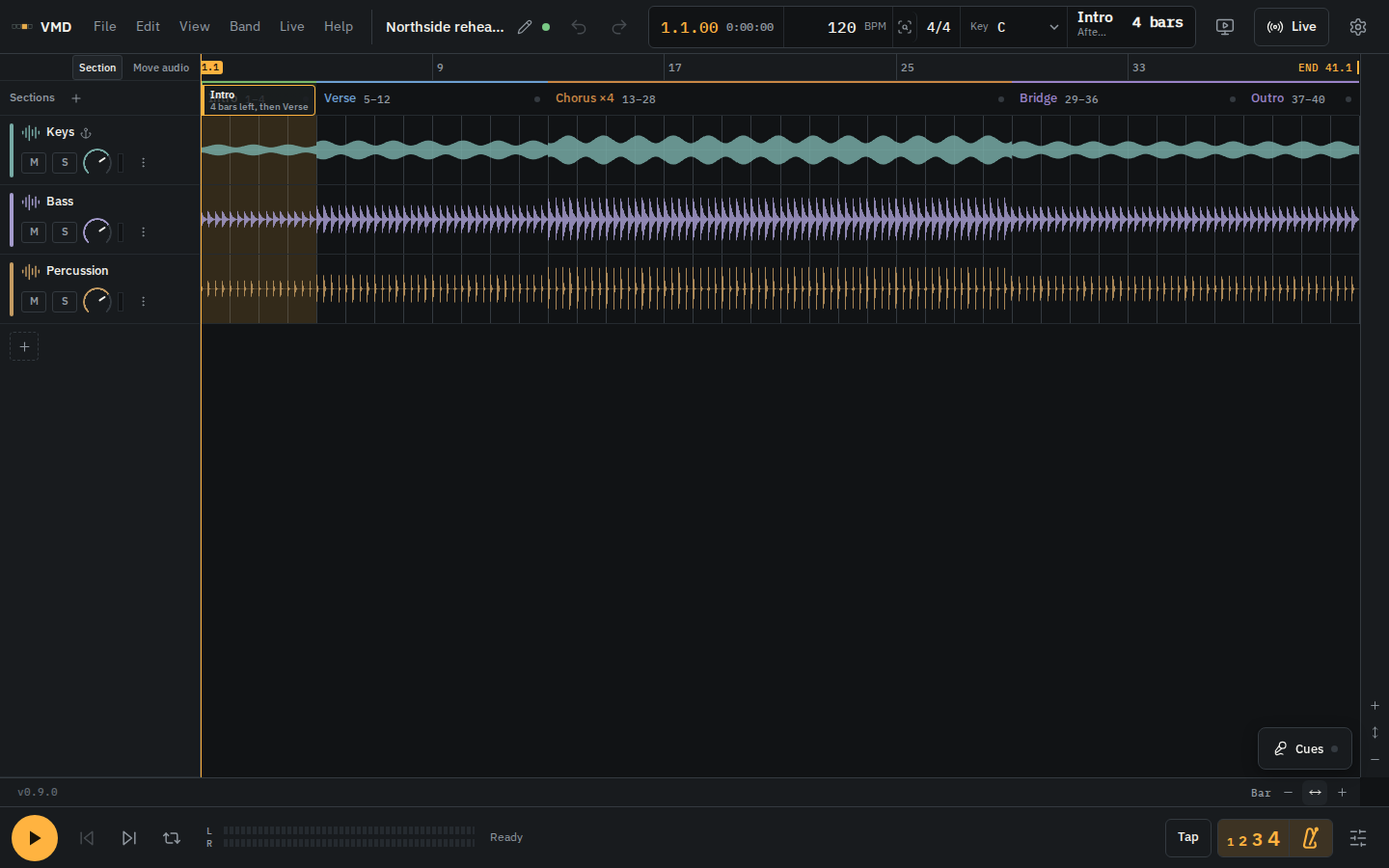
From your arrangement to their phones
Everyone knows
where the song goes.
Prepare the calls once
Mark your song sections, add instructions for musicians and vocalists, and generate spoken cues in your chosen voice.
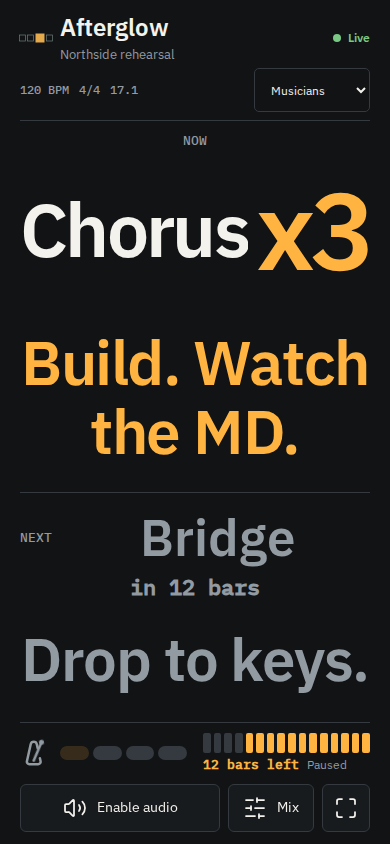
Keep the next section in sight
Live shows the section playing now, how many repeats are left (such as x4 or x3), and what comes next. When the director shares audio, each player can adjust their own click, cue and track levels.
Audio setup guideKeep the band organised
Keep rehearsal dates, performances and setlists in one place. Members can share their availability and open the band’s Live session from the workspace.
How it works
Bring a song.
Prepare for rehearsal.
Import your tracks
Export aligned audio from your DAW. Bring it into VMD and check the tempo and first downbeat.
Build the guide
Label the sections, set the passes and add the instructions each part of the band needs.
Listen, then share
Check the spoken cues. Run the arrangement in VMD and share the Live session link with your players.
Fits around your DAW
Keep making music
where you make it.
Bring audio from Logic Pro, Ableton Live, FL Studio or Studio One. Export a cue WAV when you want to play the spoken calls from your DAW.
This is a file-based workflow. VMD does not open native DAW projects or provide a plug-in. Playing the exported cue file does not drive the phone display.
DAW workflow and limitationsTry it with your next rehearsal.
Prepare one arrangement and check it with your band before changing your show setup.
Google sign-in uses your Google account ID and email to create or access your VMD account. It does not give VMD access to Drive or Calendar. Read our privacy policy.